Your first experiment
Imagine we have a chatbot that helps users with math questions. It already gives short direct answers, but we want to improve answer quality by changing the system prompt.
The main change is simple: instead of only giving the final answer, the chatbot will show its work step by step. We will keep the rest of the config the same, so we know the prompt is the thing being tested.
To measure whether the new prompt is better, we will track thumbs_up events. If users give more thumbs-up reactions to the step-by-step variant, that is a signal the new prompt is working.
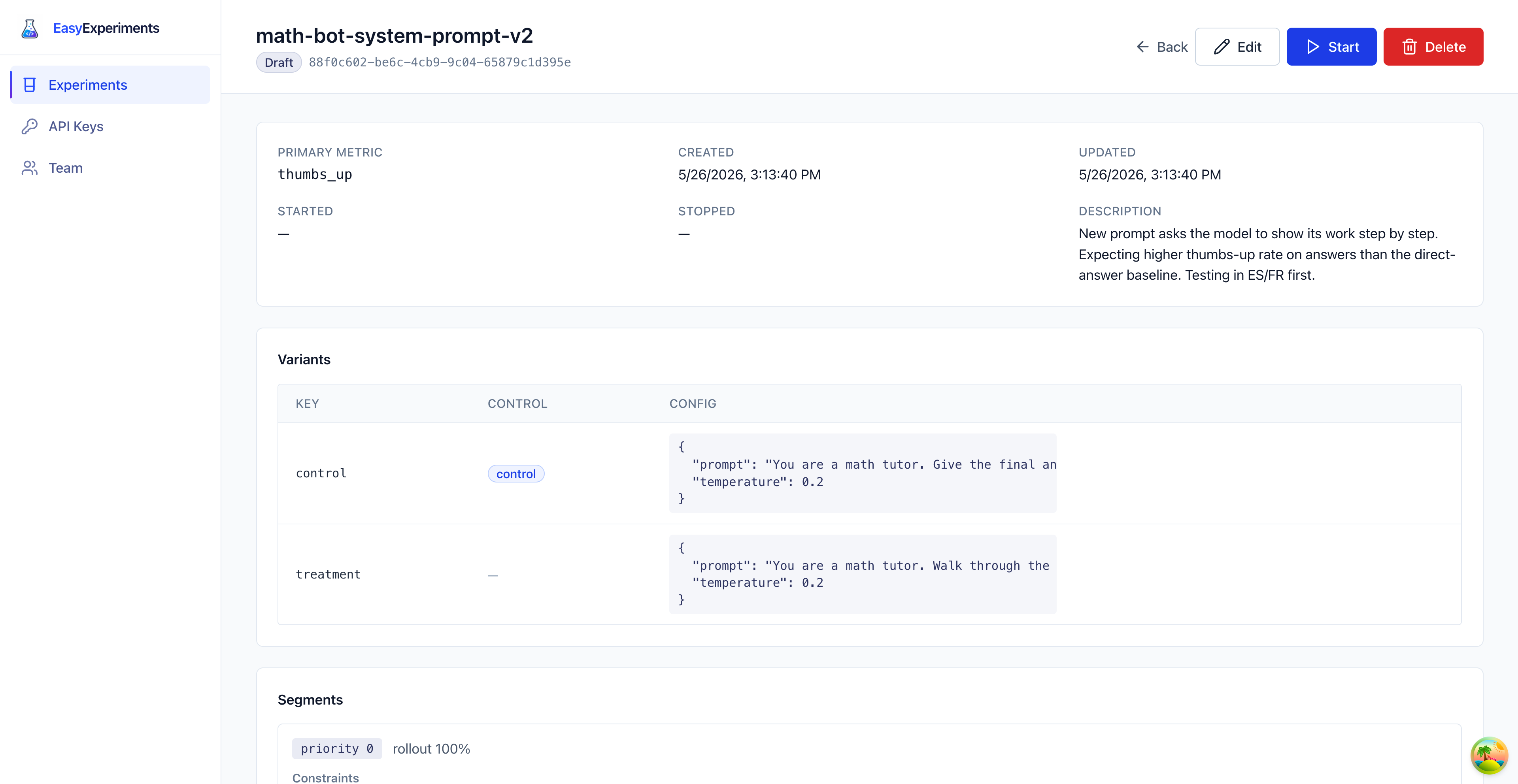
This guide creates that experiment using the data shown in the screenshots.
1. Start a new experiment
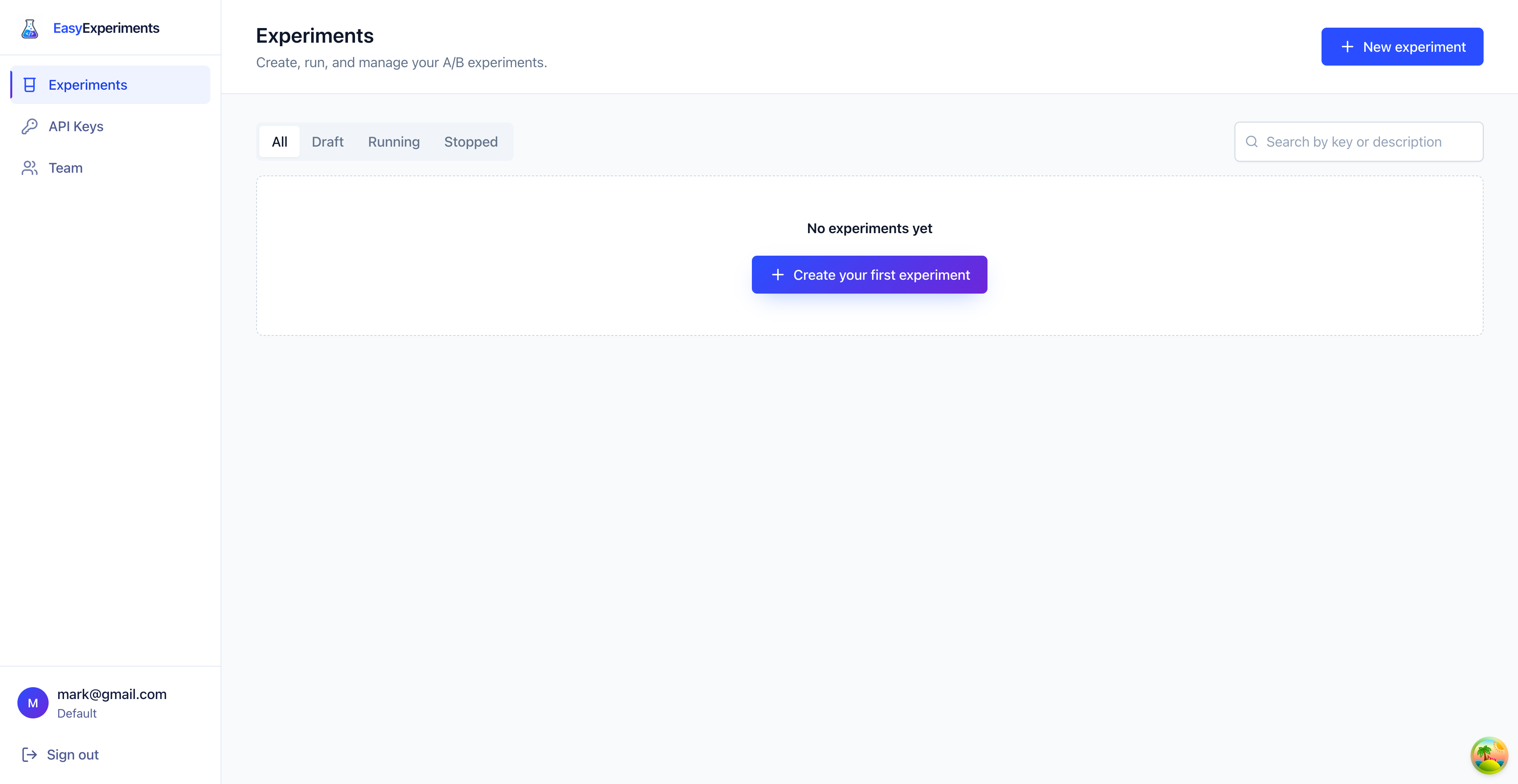
Open Experiments and click New experiment. If this is your first experiment, use the Create your first experiment button in the empty state.
2. Fill in the basics
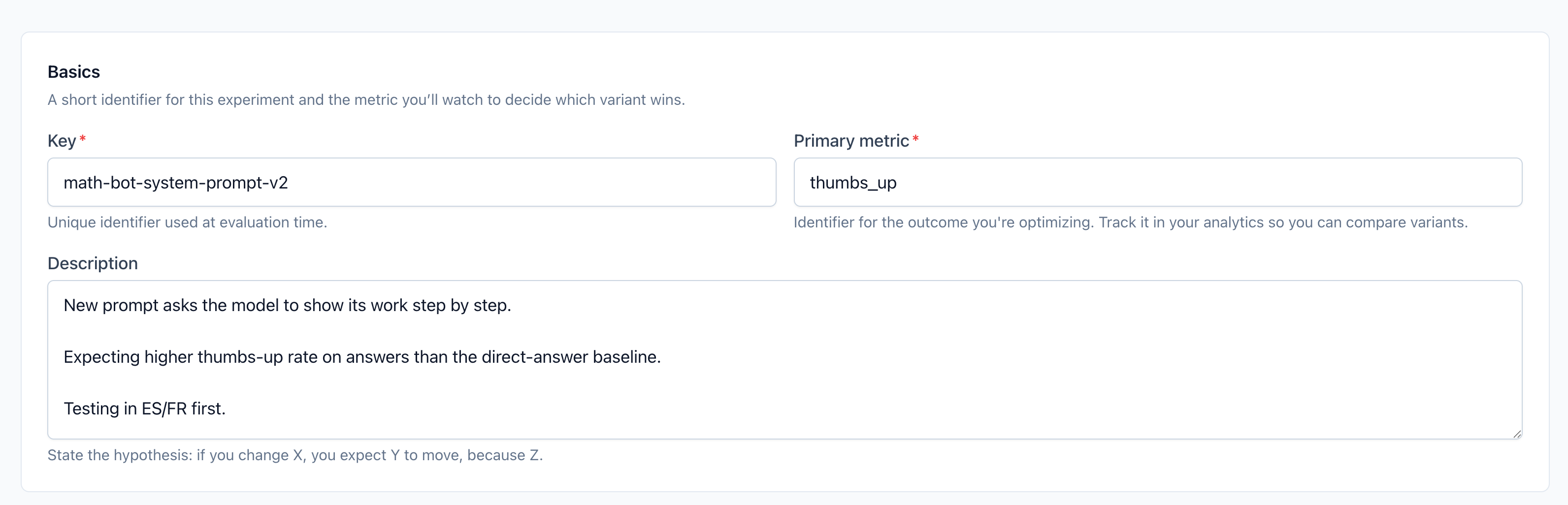
Use the exact values from the screenshot:
- Key:
math-bot-system-prompt-v2 - Primary metric:
thumbs_up
The key is the identifier your app sends when it asks Easy Experiments for a variant. The primary metric is the event name Easy Experiments will use to decide which variant performed better.
3. Add the variants
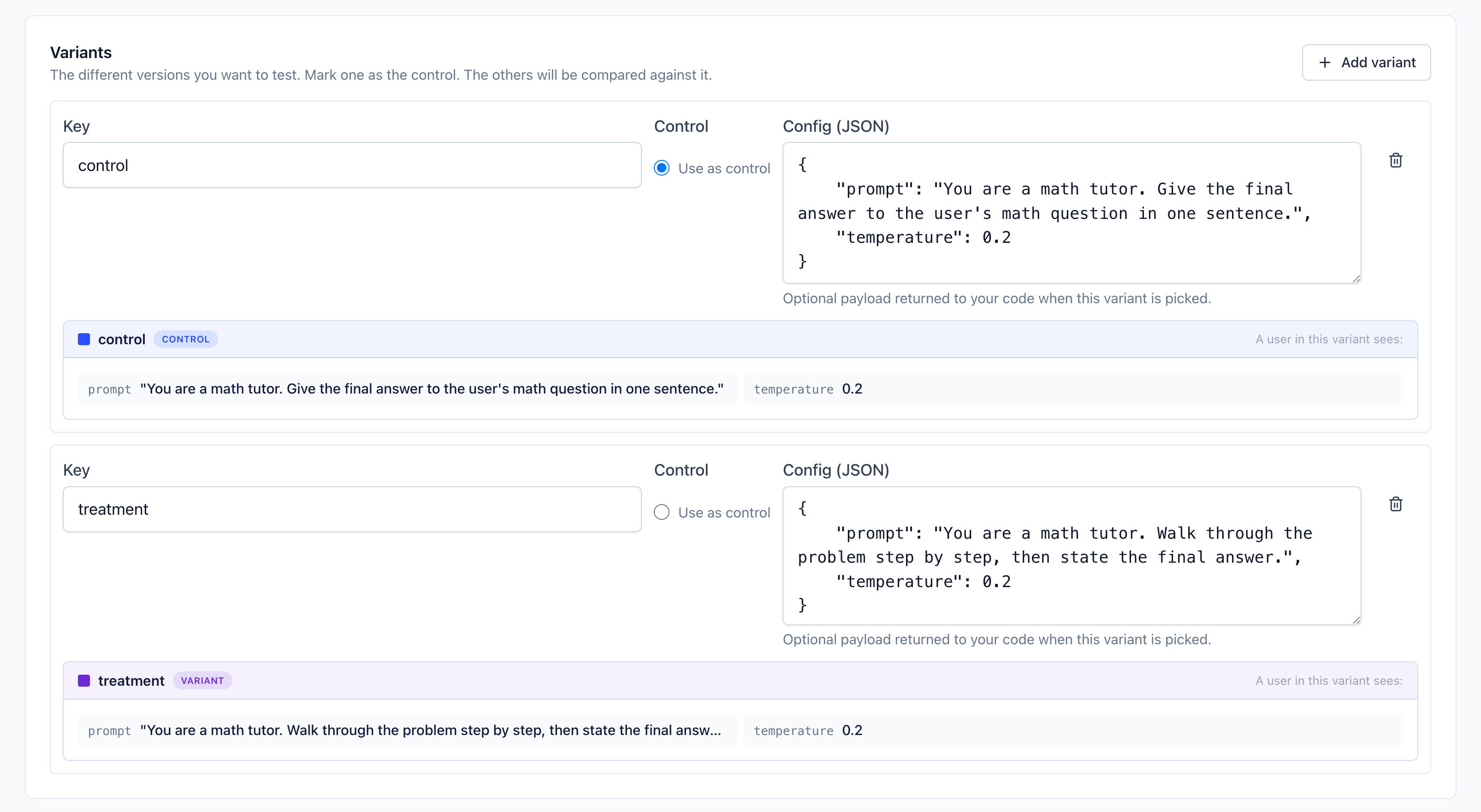
Create two variants. Mark control as the control variant, because it is the baseline you already trust.
Control:
{
  "prompt": "You are a math tutor. Give the final answer to the user's math question in one sentence.",
  "temperature": 0.2
}
Treatment:
{
  "prompt": "You are a math tutor. Walk through the problem step by step, then state the final answer.",
  "temperature": 0.2
}
Only the prompt changes. Both variants keep temperature at 0.2, so the experiment tests prompt style instead of mixing prompt and sampling changes.
4. Choose who enters
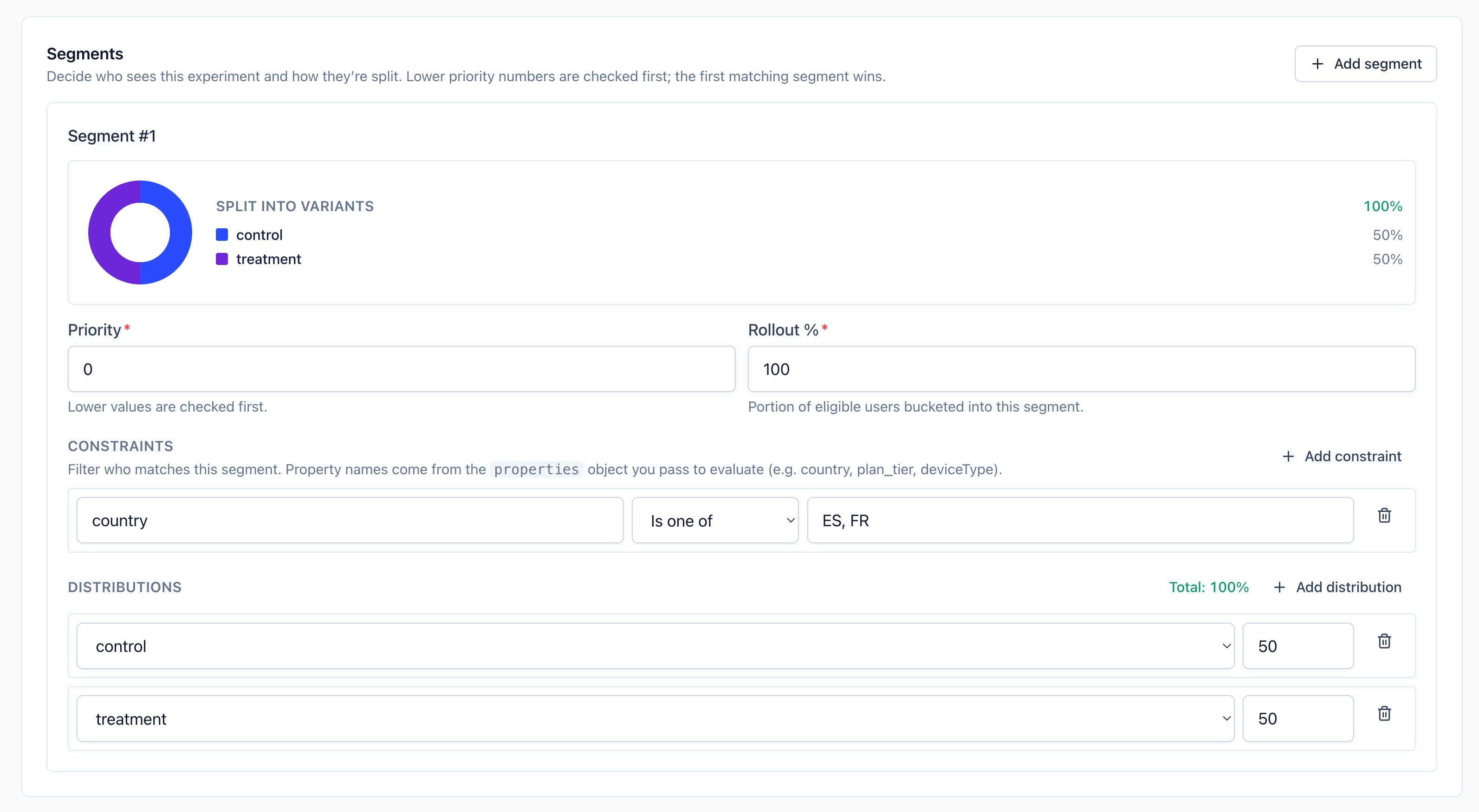
Create one segment:
- Priority:
0 - Rollout:
100 - Constraint:
countryis one ofES, FR - Distribution:
50forcontrol,50fortreatment
The constraint limits the first rollout to Spain and France. The rollout value means every eligible user enters the experiment. The distribution splits those users evenly between the two variants.
5. Review and start
After saving, the experiment opens in Draft. In Draft, nothing is served yet, so this is your last chance to check the key, metric, variants, and segment.
When it looks right, click Start. From then on, matching users can receive either control or treatment.
Next step
Now wire your app to request a variant and send thumbs_up events after users rate an answer.
Next: Tracking events.